Nikon Lens Converter: General Operations

Since there are five lens converters, Coolpix 4500 has five converter modes, one for each lens converter: Wide Adaptor for WC-E24 or WC-E63, Telephoto1 for TC-E2, Telephoto2 for TC-E3ED, Fisheye1 for FC-E8 in circular image mode, and Fisheye2 for FC-E8 in full frame mode. The following table summarizes these modes:
| Converter | 4500 | |
| mode | icon | |
| No lens setting |

|
|
| WC-E24 or WC-E63 | Wide Adaptor | 
|
| TC-E2 | Telephoto1 | 
|
| TC-E3ED | Telephoto2 | 
|
| FC-E8 circular | Fisheye1 | 
|
| FC-E8 full frame | Fisheye2 | 
|
After setting the camera to one of these modes, the on-camera lens will be zoomed in or out so that the combined lens will not vignette and, at the same time, disables internal and external flashes. Details can be found on each individual page.
If fact, you do not have to set your camera to one of the converter modes. In general, you can simply mount a lens converter and use the zooming buttons to adjust the focal length of the on-camera lens until you are satisfied with your composition. In this case, the camera is in the Regular mode.
When you are in the Regular mode, you can operate the camera and the mounted lens converter as if the converter is not there. You can zoom in and out in the extended focal length range, although vignetting may occur in some cases. More precisely, when TC-E2 or TC-E3ED is mounted, vignetting will occur if the on-camera lens is zoomed all the way out. See the image below. Although both internal and external flashes can be used (if they are not turned off), exposure will not be correct because some lens converters will block the flash sensor. Another obvious problem is that the viewfinder is blocked partially or completely. Thus, use LCD monitor instead. Other than these problems, there is no big differences between the Regular mode and a converter mode.
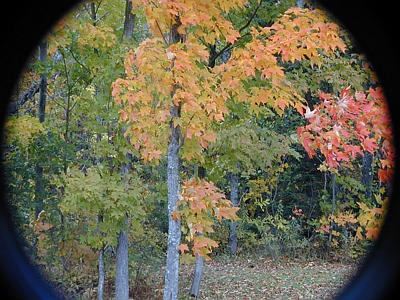
|
Use the following procedure to set or reset the camera to a particular lens converter mode:
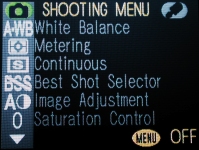
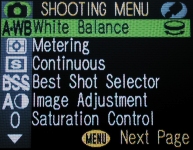
|
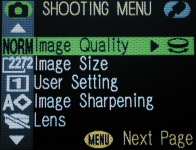
|
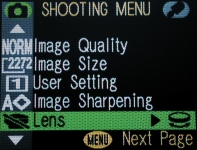
Note that if the camera has been set to one of the converter mode, the corresponding icon appears on the first column.
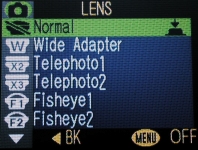
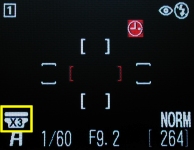
Coolpix 4500 has a short-cut for selecting a lens converter. Once the LENS item is highlighted, you can use the command dial to make a selection. As the command dial is being turned, the icon of a lens converter is shown on the first column. Keep turning the command dial until the corresponding converter icon appears. Then, press the MENU button three times to return to the shooting mode.
The following are some important notes when using a lens converter.
|
|
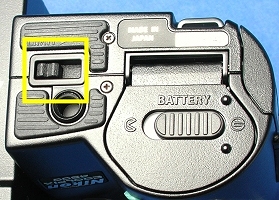
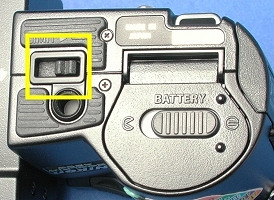
| Swivel lock level unlocked | Swivel lock level locked |